
What a small business website needs: 10 things, and where each one goes
Last updated: 2026-11-12
Contents · 7
- 1. Fill in the five things people look for before they visit
- 2. Check the five things that build trust and get people to act
- 3. Pick an industry template that already has these ten places
- 4. Give customers a way to reach you — an inquiry form
- 5. Fill in the search and sharing settings, then click “Publish”
- Frequently asked questions
- Read next
Short version — opening hours, location, how to reach you, what you sell and what it costs, photos, reviews, one button to press, a page that reads well on a phone, a search title and description, and your own address. If all ten are there, a small business site is complete. Save the list below and tick them off; in MakeLayer the industry templates already have a place for each, so you only swap in your details.
At a glance
- Time needed
- About 10 min
- Plan required
- Free plan
- Coding knowledge
- None
- Where to do it
- Template gallery
Step by step
- 1
Fill in the five things people look for before they visit
A customer wants to know within seconds: are you open, where are you, how do I reach you, what do you sell and for how much, and what is this place like. If they can't find it, they go back. Put these five on the first screen or right under it — the part after each “→” is where you do it in MakeLayer.
Checklist 1/2 · What people look for before visiting1 Opening hours Hours per day, days closed, last orders or last appointment. Fix it the day it changes. → Click the hours text in the template, or ask in the “AI” tab2 Location The address as text plus a map, and one line like “two minutes from the station, parking behind the building”. → “Directions” in the “Quick menu”, or search “map” in the “Add section” window that opens from “Add” › “Section”3 How to reach you Make the way customers actually use easy to spot — phone, WhatsApp, an inquiry form. → “Call” and “WhatsApp” in the “Quick menu”, plus an “Inquiry form”4 What you offer and the prices Name, one-line description, price. If the price is missing, most people leave instead of asking. → the “Menu · prices” kind in “Add section”5 Photos The outside (so people recognise it), the inside, and your best product or result — three kinds are enough, and your own photos beat stock. → click a photo on the page, then “Replace photo” - 2
Check the five things that build trust and get people to act
The first five answer “is it worth going?”. These five answer “can I trust them, and what do I do now?”. Keep number 7 to one button per screen — with three buttons, nobody presses any of them.
Checklist 2/2 · What builds trust and gets people to act6 Reviews and proof Two or three customer quotes, or your years of experience, awards, certificates. Use real ones as they were written — never invent them. → the “Reviews” kind in “Add section”7 One button to press Pick the one thing you want most — “Book”, “Call”, “Ask us” — put it on the first screen and repeat it with the same words further down. → click the button text on the page8 A page that reads on a phone Most visitors arrive on a phone. Tiny text or overlapping buttons send them away. → check the “Mobile” tab in the right column, and ask AI to fix what looks off9 Search title and description Business name + area + type of business is what shows at the top of a search result. → “Settings” › “Site info”: “Title in search results” and “One-line description”; “Search & sharing”: turn on “Show in search results”10 Your own address An address with your business name fits on a card, a sign and your map listing. → start on the free address, and connect your own domain under “Address & domain” › “Connect” (from Plus) - 3
Pick an industry template that already has these ten places
The /templates gallery opens without logging in. Open one that looks like your business under “Food & Cafe”, “Beauty & Hair”, “Health & Medical”, “Fitness”, “Education” or “Local Service”, and scan the preview for items 1–7. Click “Start a site with this template”, type your business name, and the editor opens with a draft. If a place is missing, add it with “Add” › “Section”, which opens “Add section” — kinds like “Menu · prices”, “Reviews” and “FAQ”.
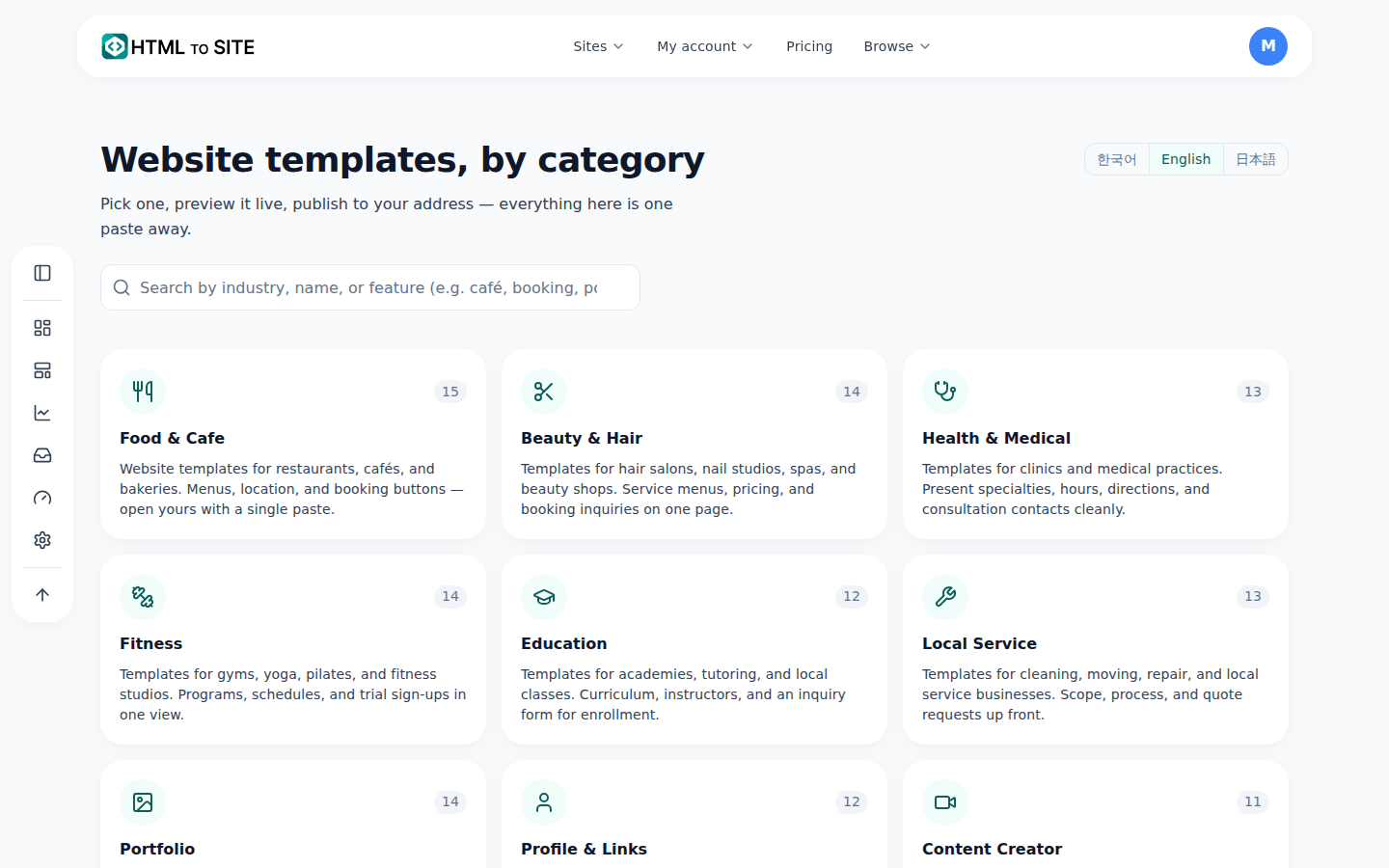
Open the industry group closest to your business first. - 4
Give customers a way to reach you — an inquiry form
There has to be somewhere to leave a message when you can't pick up the phone. In the editor, open “Inquiries”, switch to the “Forms” view, click “Add inquiry form”, then place it on the page with “Inquiry form” in the “Add” tab. Messages collect under “Inquiries” in “Inbox” in the app menu, and the free plan allows two forms per site. Above the form, promise only what you can keep — for example, “We usually reply within a day”.
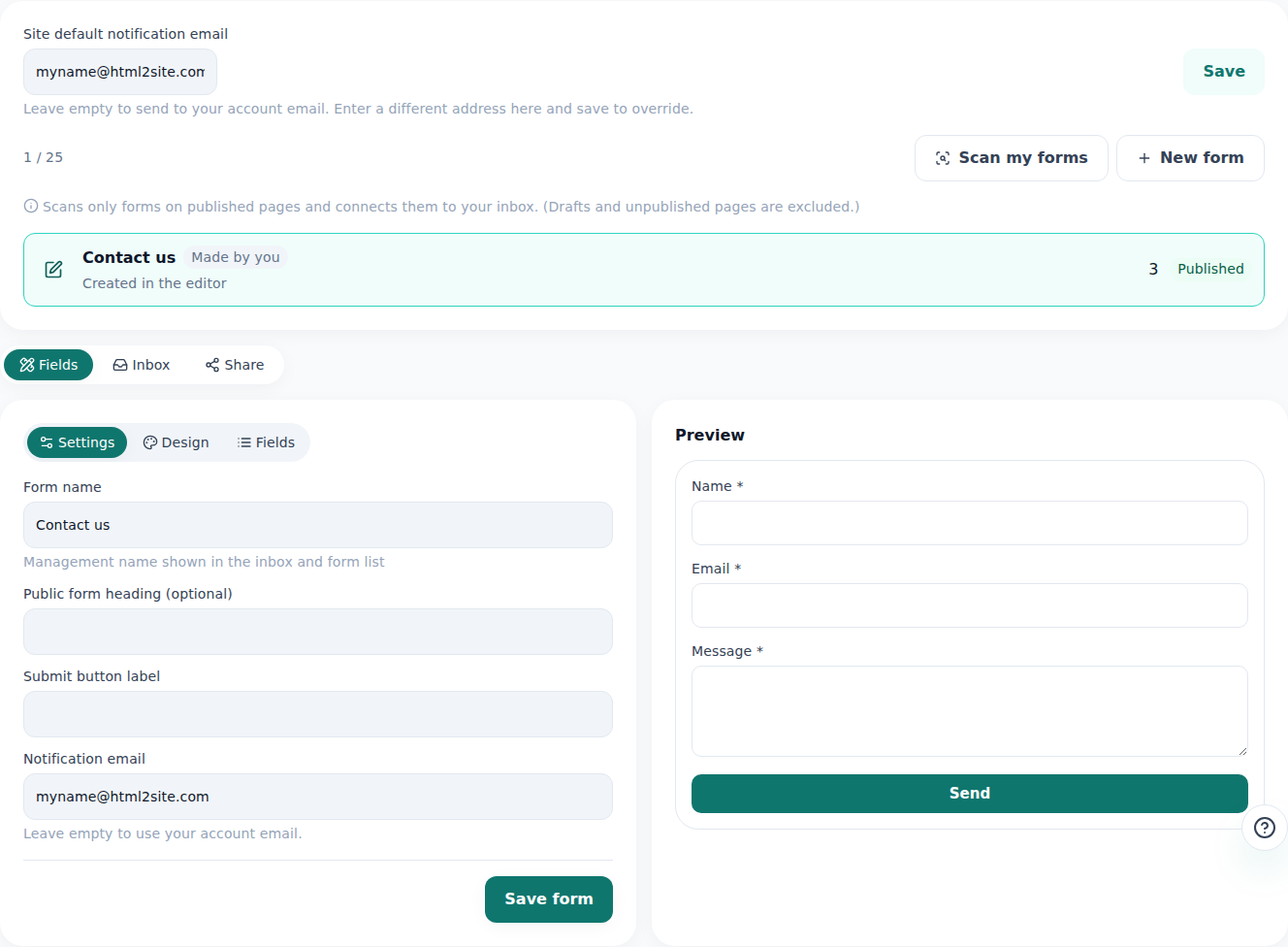
Read what a customer left and reply from the same screen. - 5
Fill in the search and sharing settings, then click “Publish”
Under “Settings” › “Site info”, fill in “Title in search results”, “One-line description” and “Link preview image”, and check that “Show in search results” is on under “Search & sharing”. Then click “Publish”. After that, “Share” lets you copy the address and add it with “Add to Instagram”, “Add to Google Business Profile” and “Add to WhatsApp” — each place you list it is one more way for customers to find you.
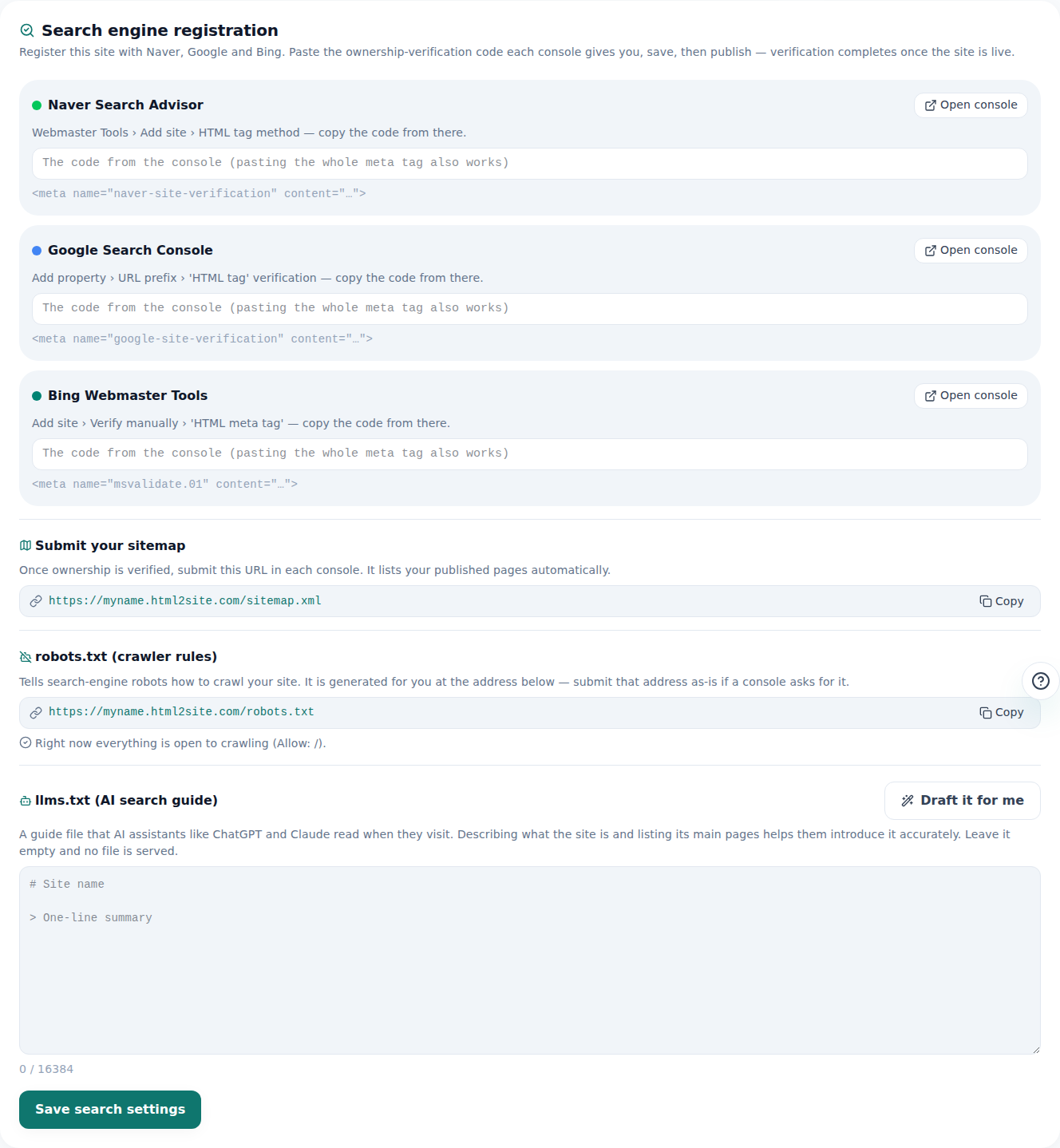
“Show in search results” has to be on for search visitors to find you.
Frequently asked questions
How do I write the title and description that show in search results?
Use “Business name | Area and type · one distinctive thing”. For example, a title like “Momo Coffee | Brunch café in [your neighborhood] · Open daily 8–6” and a description like “House-roasted beans and fresh bread, two minutes from the station.” Long titles get cut off, so put the name and the type of business first.
I'm already on a map listing and Instagram — do I still need a website?
Those are your spot inside someone else's service; a website is the one page you control. Keep hours, menu and prices in one place, then use “Share” to add that address with “Add to Instagram”, “Add to Google Business Profile” and “Add to WhatsApp”, so every place customers find you points to the same facts.
Is a phone number or WhatsApp enough, without a form?
Yes. Put the one you get the most messages on in the “Quick menu” so it is always in reach. If there are hours when you can't answer, add one “Inquiry form” as well — whatever customers leave collects under “Inquiries”.
What if I can't finish all ten before launch?
Opening hours, location and a way to reach you are enough to publish. Fill in the rest when you have a moment, and click “Publish” again after each change.
Can customers find my site without my own domain?
Yes. The free address (the myname.mklyr.com kind) opens for everyone, and with “Show in search results” on it can appear in search. When you want an address with your business name, buy the domain separately and connect it with “Connect” from Plus. Free sites carry a small “Made with” badge; removing it also starts with Plus.
Read next
- A small business website, free: pick a template, edit it by asking, publish How to build a small business website for free — pick a template, edit on screen or with AI, inquiry form, publish, own domain (English)
- The template gallery: browse without logging in, edit, then publish How to use the template gallery (/templates) — from login-free browsing to draft, editing, and publishing (English)
- One form for visitor inquiries, one inbox for every site How to build a visitor inquiry form and check every site's inquiries from one Inbox (English)
- Get your site found — by search engines and AI answers alike How to get a published site found by search engines and AI answers (AEO) — from site settings to structured data (English)
Trying it is faster than reading about it — create your site now, free.