
Show your own page on URLs that don't exist
Last updated: 2026-10-12
Short version — on the editor's Settings screen, under Branding › Search engines, set an already-published page as the “Page to show when a page isn’t found.” Visitors who land on a bad URL get that page with a real 404 status, and the address bar never redirects.
At a glance
- Time needed
- About 3 min
- Plan required
- Free plan
- Coding knowledge
- None
- Where to do it
- Editor
Step by step
- 1
Pick a page to serve as your 404 under Branding in Settings
In the editor's site menu, open “Settings” under “Site settings.” Its first section is Branding — in the Search engines part you'll find “Page to show when a page isn’t found.” Pick from your already-published HTML files or type a path directly. Say Momo Coffee keeps a not-found.html with a friendly message and a button back to the homepage — that's the path you'd set here.
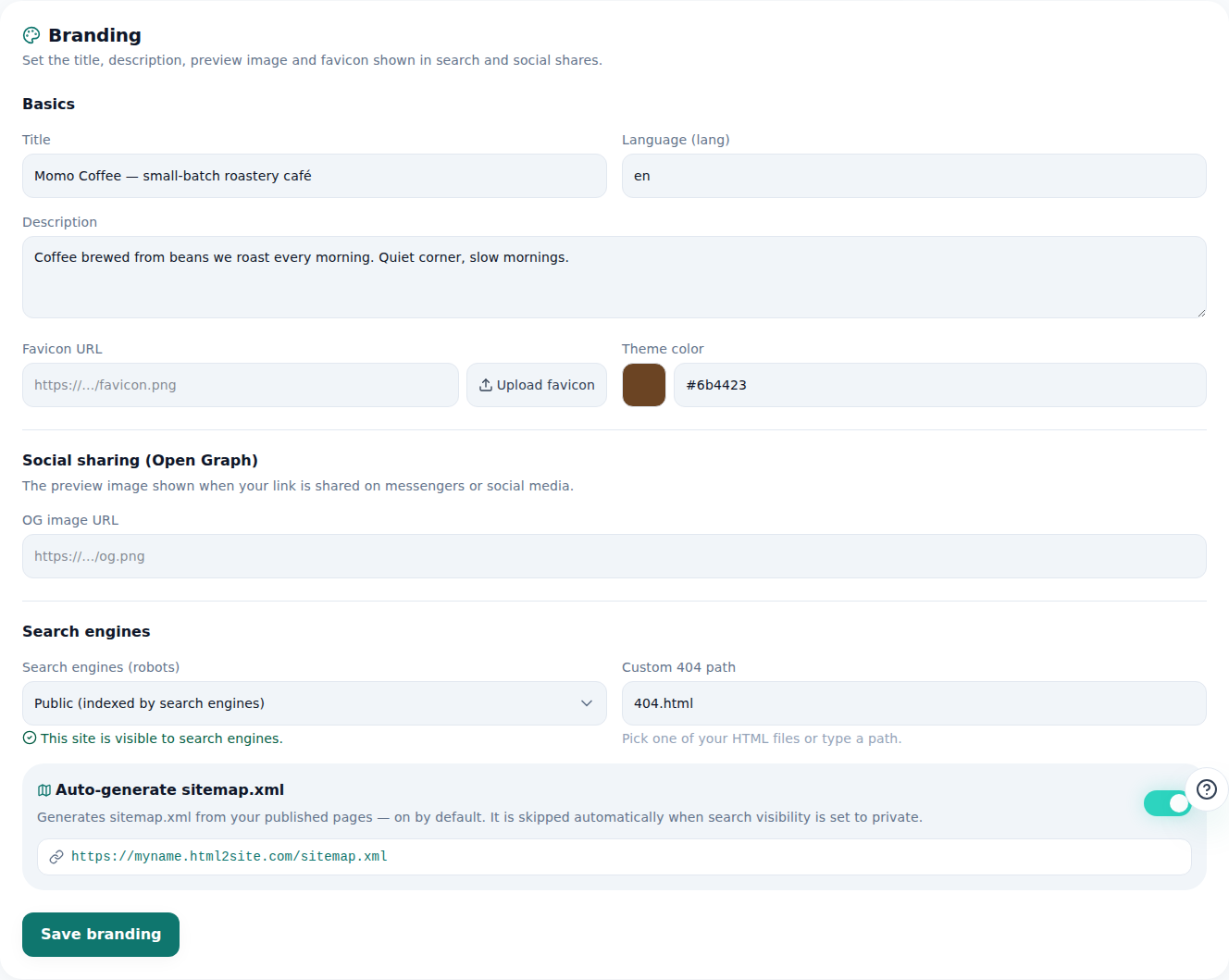
Pick the 404.html you made here and missing addresses will show it. - 2
A bad URL serves that page with a real 404 — no redirect
When a visitor lands on something like myname.mklyr.com/menu-old, the address bar stays exactly as they typed it — nothing redirects. Only the content on screen changes to your chosen page, and the response status is a genuine HTTP 404. Search engines read it as “not found,” not as a normal page.
myname.mklyr.com/menu-old LiveThe URL stays put — only the screen changes to your custom 404 page (status 404).
- 3
If that page is locked, the lock still applies
If the page you set as your custom 404 has a page lock (password) on it, visitors arriving through a bad URL see the lock screen first, same as anyone else. The 404 path is not a backdoor around the lock — content is never sent to a visitor who hasn't unlocked it.
Branding › Search enginesPage to show when a page isn’t found secret-menu.htmlPage lock on secret-menu.html On — still enforced via bad URLs - 4
Free on every plan
There's no plan restriction on the custom 404 path setting. A Momo Coffee site running on the free plan can set it from Settings right away.
Branding › Search enginesPage to show when a page isn’t found not-found.htmlPlan required Every plan, including Free
Frequently asked questions
Can I design my own 404 page?
Yes — just point the setting at any page you've already published.
Does a bad URL redirect to another address?
No, the address stays as typed. Only the screen content changes, served with a real 404 status.
Does the free plan support a custom 404 page?
Yes, it works on every plan.
If I set a locked page as my 404, does that unlock it?
No, the page's lock still applies even when reached through a bad URL.
Can I set more than one 404 page per site?
No, it's one per site.
Read next
- Adding multiple pages to your site How to add multiple HTML pages (files) to a site — free plan included (English)
- Managing your sites — folders, rename, delete & recovery How to organize sites into folders, rename them, and undo a deletion within 7 days from the /sites dashboard (English)
- Get your site found — by search engines and AI answers alike How to get a published site found by search engines and AI answers (AEO) — from Branding settings to structured data (English)
- Restrict access to one page (page lock) How to restrict access to a specific page with Page lock in the editor's Settings — it's an access gate at serve time, not file encryption, available from Plus (English)
Trying it is faster than reading about it — create your site now, free.